Landing page headlines and copy: say what people need to know
Write a headline, supporting copy, and calls to action that explain the offer without stock promises. Includes examples made with Waveform.
Write the plain answer before the headline
Before writing a landing page headline, describe the offer in one ordinary sentence. Name what the business sells or does, who it is for, and the detail that helps someone decide whether to keep reading. This sentence may become the headline, or it may become the supporting copy beneath a more expressive line.
For example, a landscaping brief might start with Native plant garden design and maintenance in Raleigh. That tells the writer more than Transform your outdoor living. The first sentence names the service and location; the second needs an explanation before it means much. Keep the concrete information as you explore wording with more personality.
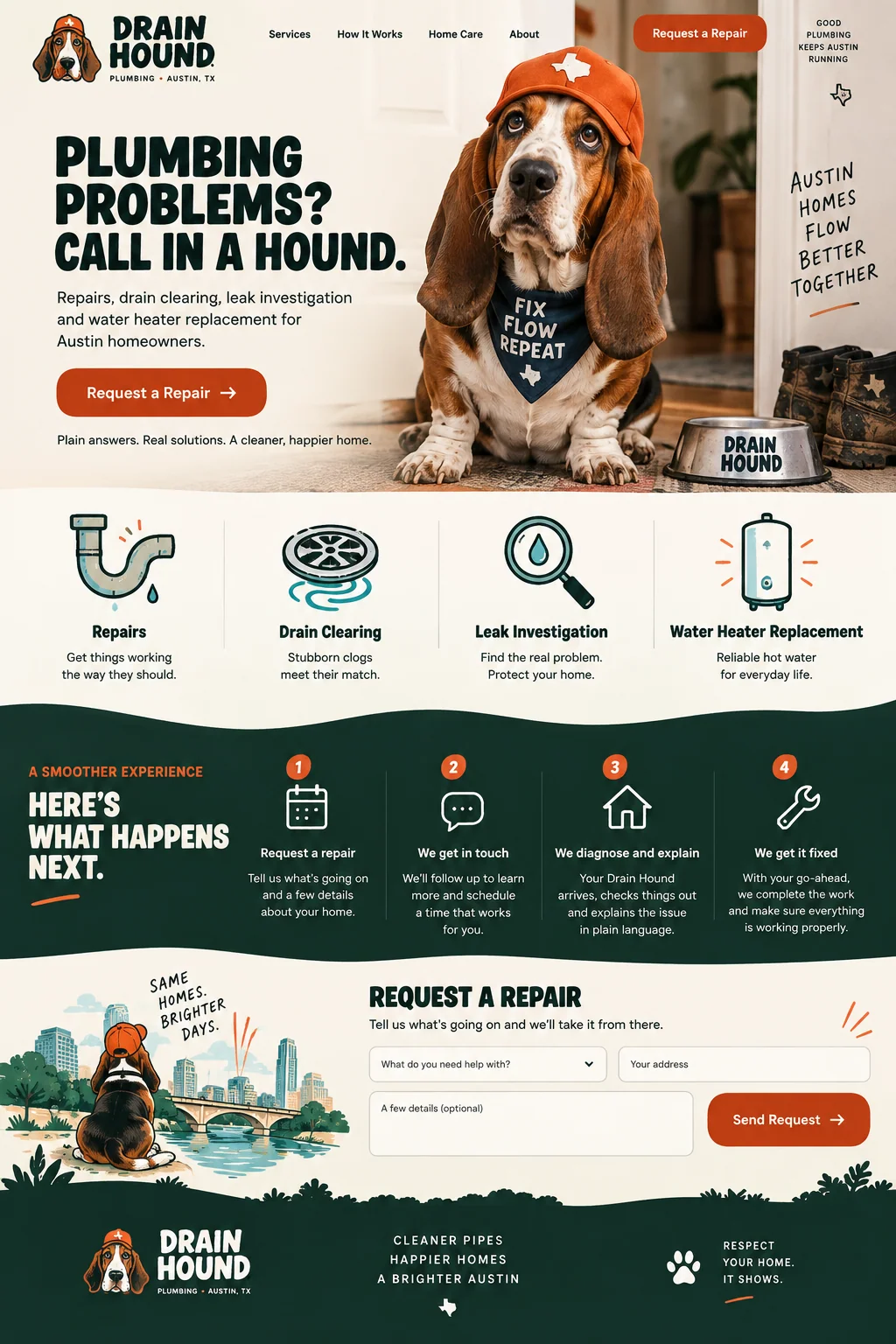
Drain Hound gives the joke an immediate explanation
Drain Hound’s opening headline plays on the dog mascot and plumbing problems. The supporting sentence quickly names repairs, drain cleaning, leak investigation, and water-heater replacement for Austin homeowners. Someone can enjoy the character while still learning what the business is supposed to do.
That pairing is more useful to study than the joke alone. If a reader cannot identify the offer after the headline and its supporting sentence, add the missing fact. For a campaign about one repair type, lead with that service. Google Ads includes the expectations created by an ad in its description of landing-page experience, so check the headline against the promise that brought the visitor there.
Source: Google Ads Help: Landing page
Arcjet: explain what the software does
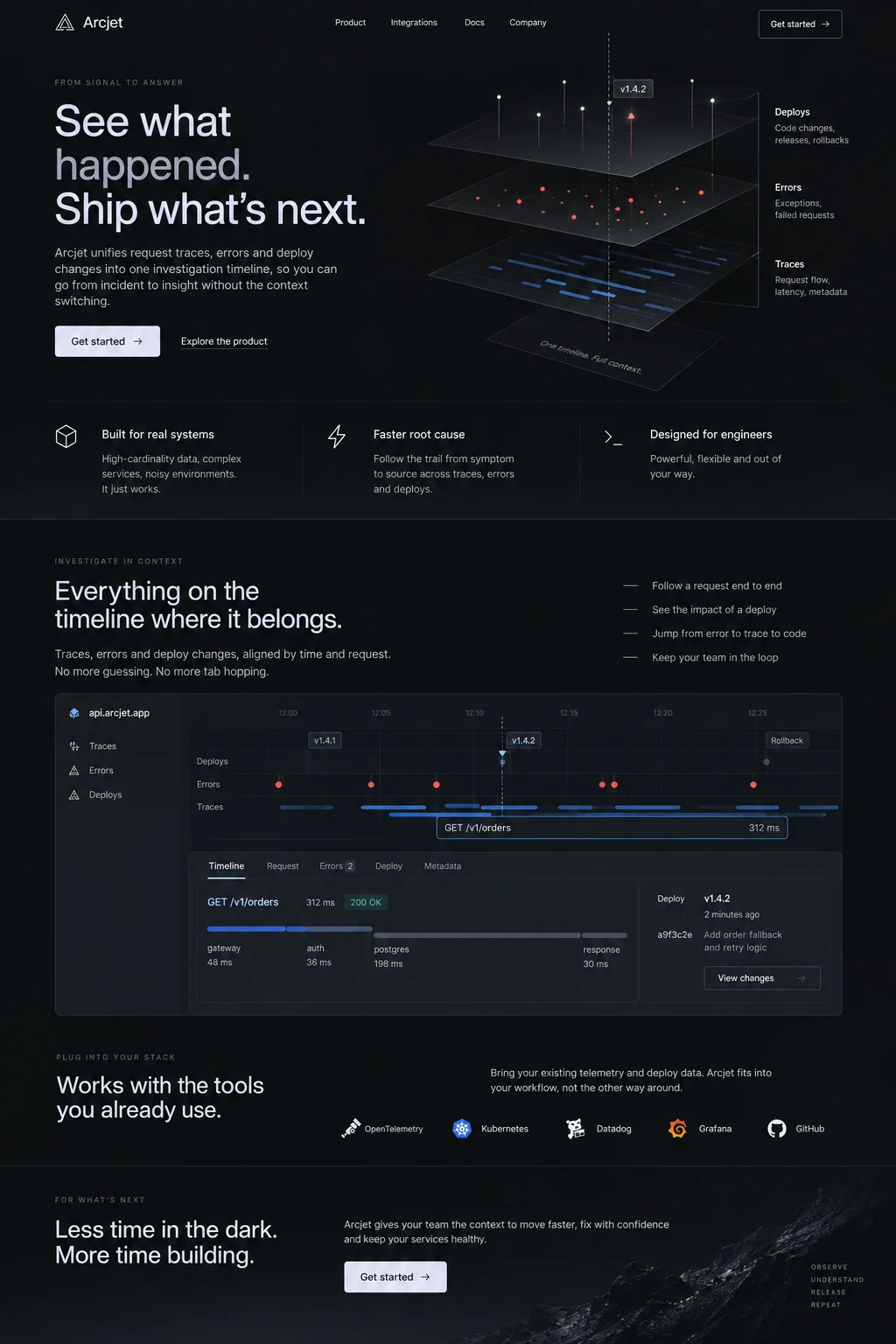
The Arcjet concept opens with a headline about seeing what happened and moving on to the next release. Its supporting paragraph names the information brought into one investigation timeline. The diagram then shows the intended relationship between that information. The copy and visual are explaining the same idea.
For a real product, every capability in that sentence needs to exist. Replace a broad promise such as Fix any incident instantly with the actual task the product supports. Explain who does the work and what the product provides. Precise wording helps a prospective buyer understand the limits before trying it.
Make section headings specific
Read the headings in order and temporarily ignore the body copy. They should tell a visitor where to find the product details, purchase terms, examples, or inquiry process. Headings such as More possibilities and A better way force people to read the paragraph before they know whether it answers their question.
W3C’s Headings and Labels guidance calls for wording that describes a topic or purpose. Apply that test to each section. Replace Why choose us with the actual subject when possible: What the installation includes, How we prepare an estimate, or Delivery and returns. A heading can be short and distinctive while still naming the information beneath it.
Source: W3C Web Accessibility Initiative: Understanding Headings and Labels
Replace the claim with the fact behind it
Read each sentence aloud and ask what a customer could verify. Effortless, premium, and world-class often stand in for a detail the writer has not supplied. If a claim matters, give its basis. If no basis exists, remove it or turn it into a straightforward description of the work.
Vary the sentence length when the thought calls for it. Do not make every section a three-part slogan. A short instruction can stand alone; an explanation may need two connected sentences. Preserve prices, qualifications, dates, and exact terms while trimming the words around them. A rewrite that changes the offer is a factual edit and needs another check.
- Replace Seamless setup with the actual steps a customer must complete.
- Replace Tailored solutions with the choices the customer can make.
- Replace Fast turnaround with the verified timeframe and its conditions.
- Replace Trusted by everyone with a specific, authorized reference, or leave the claim out.
Write the button for the action it performs
View the menu, Request an estimate, and Choose a plan tell visitors what happens next. Get started can fit a broad product entry, but a specific action usually deserves a more specific label. Check the destination before approving the copy: a button promising a confirmed booking must do more than send an inquiry.
Finally, ask someone unfamiliar with the page to explain the offer and the next step in their own words. Listen for confusion about what is included or what happens after a click. Use that feedback to revise the missing explanation. To compare how two versions perform, run an A/B test against the business outcome you want to improve.
Sources and further reading
- Understanding Headings and LabelsW3C Web Accessibility Initiative
- Landing pageGoogle Ads Help