Landing page vs. homepage: where should your visitors arrive?
Choose a homepage, campaign page, or existing product page by matching the visitor’s intent to the information and action they need.
How homepages and campaign pages differ
A homepage is the main entrance to a business’s website. It usually helps several visitors find their way: someone comparing services, someone returning to buy, and someone looking for contact details. A campaign landing page is designed around a more specific arrival, such as a search ad for one service or an email announcing one product.
The terms overlap. Google Ads defines a landing page as the page people reach after clicking an ad, so a homepage can be an ad’s landing page. The useful question is whether that destination meets the expectation created by the link. Build a separate page when it can answer that expectation more directly than the page you have.
Source: Google Ads Help: Landing page
Match the destination to the link
Start with the sentence someone saw before they clicked. A branded search for your business can reasonably lead to the homepage. A link promising a particular product should usually take the visitor to that product or a relevant offer page. A narrow service ad should not require people to browse a general catalog before finding out whether the service is available.
An existing page may already do the job. If it has the right explanation, current information, and a working next step, improve it before building a parallel version. A separate campaign page becomes useful when the audience needs different context, the offer has distinct terms, or the page must answer a question the main site does not cover.
- Homepage: a visitor needs an overview or a route to several parts of the business.
- Product or service page: the visitor already knows the thing they want to investigate.
- Campaign page: a particular audience, offer, or event needs its own explanation.
Example: one electrician, two different arrivals
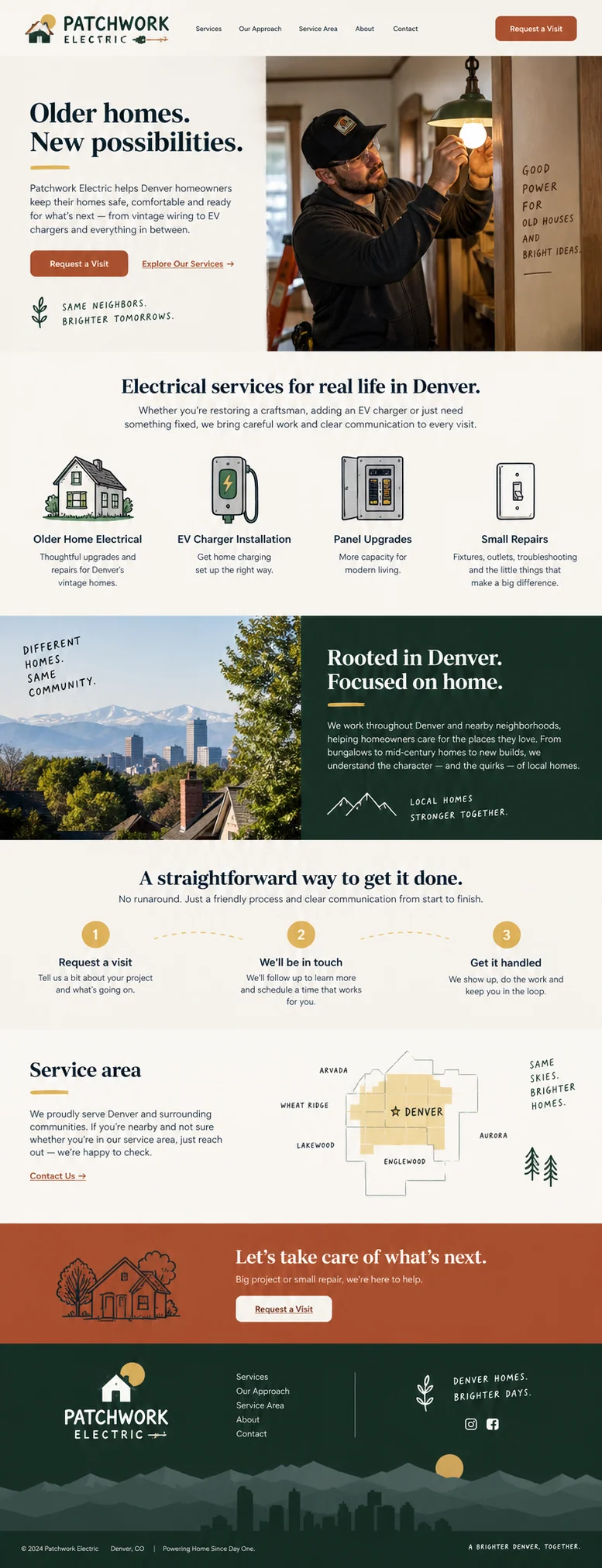
The Patchwork Electric concept introduces an older-home specialist in Denver. The overview includes repairs, panel upgrades, and charger installation. That breadth is useful to a homeowner who knows the business name but has not yet described the job. The service-area section tells visitors whether they can request a visit.
Imagine a separate ad for EV charger installation. We would bring charger installation into the heading, explain the information needed to assess the work, and show the confirmed service area early. We would keep links to the business and its other services available. We would explain how the visit is arranged and keep the business information a homeowner may want to check before asking.
Example: browsing bags versus choosing a commuter bag
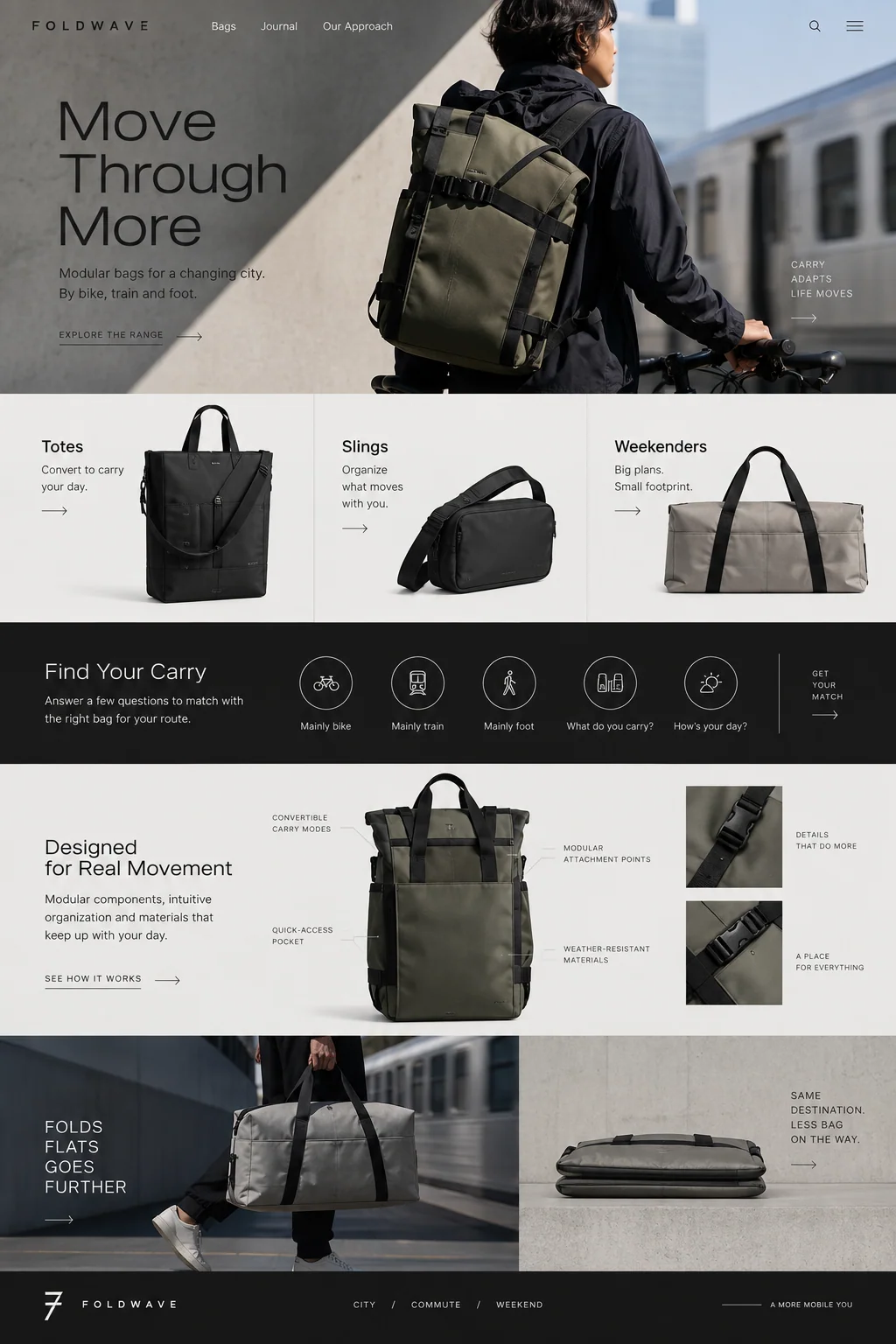
Foldwave shows totes, slings, and weekenders beneath a city-commute scene. On a homepage, those categories help visitors orient themselves. A campaign for one commuter bag could retain the material detail and use-in-context photography while concentrating on capacity, fit, dimensions, and the exact product included in the offer.
A page devoted to that one bag should still let someone find returns, delivery information, and related options if the fit is wrong. Reducing unrelated choices can make a page easier to follow, but hiding necessary information creates a different problem. Google’s guidance on ad landing pages emphasizes relevance and useful navigation; it does not give every business a universal rule to delete its menu.
Source: Google: Search ads and the importance of landing page navigation
Create another page when the information changes
Before you create separate pages for every campaign label, write down what would change for the reader. A different audience might need another example. A seasonal offer might need its own dates and conditions. Changing a city name without adding truthful local information does little to help a visitor and leaves more pages to maintain.
For substantially duplicate URLs, make a deliberate indexing decision. Google describes redirects and canonical annotations as signals for consolidating duplicate pages. Use them for versions of the same content; keep pages with different purposes separate. Keep internal links, preferred URLs, and sitemap entries consistent, and get technical help if campaign parameters create many copies of the same content.
Source: Google Search Central: How to specify a canonical URL
Check whether the page works for visitors
Write a short destination brief before changing the site: the traffic source, the promise, the visitor’s main question, the intended action, and the information needed before that action. This makes it easier to notice when a design drifts toward a general company presentation or a sale the campaign never offered.
If you compare destinations, preserve enough of the campaign setup to make the comparison meaningful. Track completed actions and their quality, not just button clicks. For a service business, more form submissions can be a worse result if they come from outside the service area. Judge the destination by whether the intended visitor can find the offer and complete the right action.
Sources and further reading
- Landing pageGoogle Ads Help
- How to specify a canonical URLGoogle Search Central