Local service landing pages: help the right customer get in touch
Plan a service page around the job, the service area, and the first conversation. Explore landscaping and plumbing website designs made with Waveform.
Answer whether you can help with this job
A local service landing page should help someone establish three things: whether you do the work, whether you serve their location, and how to ask about it. A business can have a memorable visual identity and still leave one of those questions unanswered. Put the answers close enough together that a prospective customer can judge the fit.
Start with the work you want the page to bring in. A landscape design inquiry needs different information from a drain-cleaning request. Name the service, describe its scope, and explain any relevant limits. If the campaign concerns one service, make that service the opening subject and keep the broader business information available for people who want to investigate further.
Yardkind gives a planned project room to develop
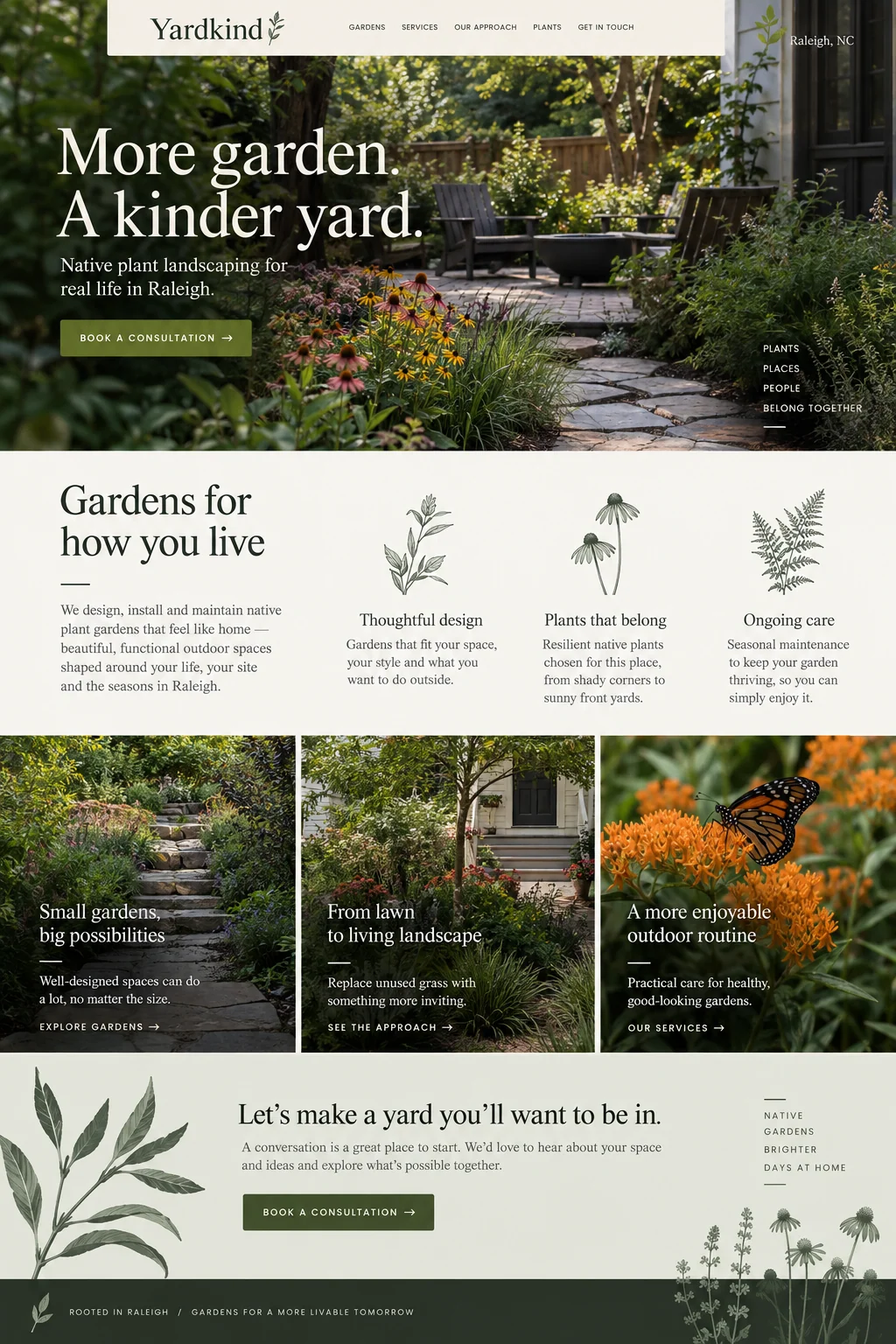
Yardkind shows a planted garden with a path and seating, followed by sections about design, native plants, and ongoing care. The page names Raleigh and repeatedly invites a consultation. Its photographs help a homeowner picture the kind of outdoor space described in the brief.
For an operating landscaping business, we would add the information that determines whether a conversation is worthwhile: which kinds of projects it accepts, the area it serves, and what the consultation involves. If a consultation has a fee or requires preparation, state that before someone requests it. Project photographs should identify work the business actually performed, with permission to publish them.
Drain Hound has a different kind of first conversation
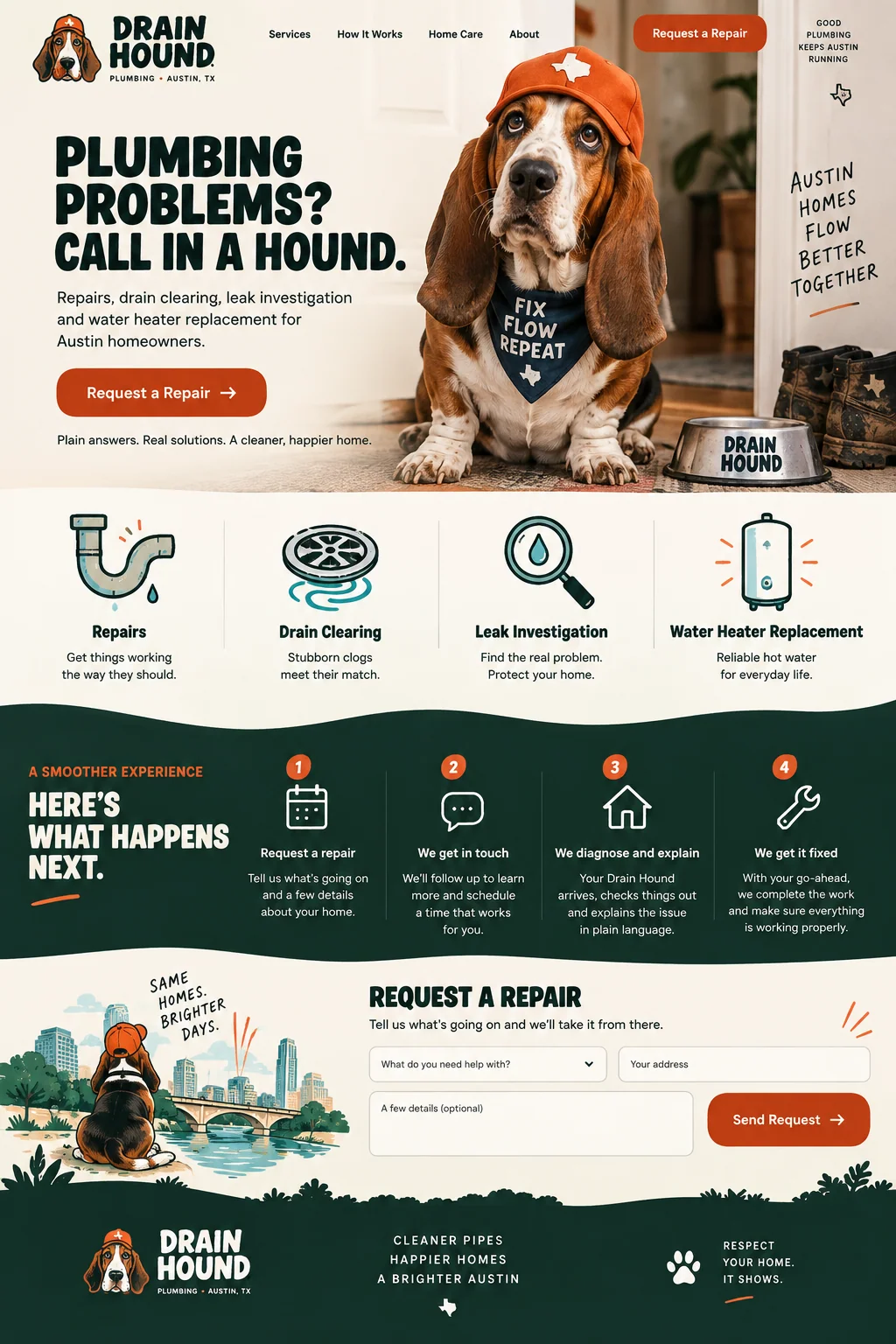
Drain Hound uses an orange-capped dog mascot, bold headings, and separate icons for repairs, drain cleaning, leak investigation, and water-heater replacement. A four-step sequence explains the request, follow-up, diagnosis, and repair. That process gives a customer some idea of what happens after they ask for help.
A real business would need to distinguish ordinary requests from urgent work. State how customers should contact you and when that channel is monitored. Use emergency-service or same-day wording only when it reflects the operation. If the form starts a callback, label it accordingly so a customer does not mistake it for a dispatched technician.
Describe the area you actually serve
Use a readable list of the cities, neighborhoods, or postal areas that match your coverage. A map can help, but it should not be the only way to learn whether a property is included. If coverage depends on the job, explain how the customer can check. Avoid vague promises to serve an entire region when staff cannot make those trips.
Keep the website consistent with the business profiles you manage. Google’s service-area guidance distinguishes businesses that visit customers from businesses that also serve customers at their own address. It calls for accurate coverage and says businesses that do not serve customers at their address should remove that address from their Business Profile. Review the current guidance for your business type before editing the profile.
Source: Google Business Profile Help: Manage service areas for service-area and hybrid businesses
Show evidence for the work and the claims
Choose examples that answer a customer’s question. A before-and-after project can explain the scope of a renovation; a finished garden can show the planting style. Add enough context to make the image useful: what work was done, what constraints mattered, and whether the photograph shows a completed project or a proposal.
Use real qualifications and authorized customer feedback where relevant. Keep the wording accurate and the source available to check.
Make the request easy to answer
Ask for the details needed to route the inquiry and reply. A short description, service choice, location check, and contact method may be enough to begin. Keep optional information optional. W3C’s forms guidance recommends limiting questions to what the process needs; the goal is a request the receiving team can use.
Explain what happens after submission and who handles it. A consultation request needs a reply process, while a booking needs confirmed availability. Test the form and the receiving system together. If an outside answering service or scheduling provider is involved, verify that it receives the right location and service information.
Review the inquiries that the page attracts
After launch, compare the inquiries with the work the page was meant to bring in. Note requests from outside the service area, jobs you do not offer, and questions the page should already have answered. These can reveal missing or misleading information even when the total number of submissions looks healthy.
Keep service details current when staffing, coverage, or availability changes. Give the person handling inquiries a way to flag recurring confusion to whoever edits the site. A successful review can lead to a small correction: a clearer service description, a visible coverage limit, or a more accurate explanation of the first visit. Track whether those changes bring in more relevant inquiries.
Sources and further reading
- Manage service areas for service-area and hybrid businessesGoogle Business Profile Help
- Forms tutorialW3C Web Accessibility Initiative